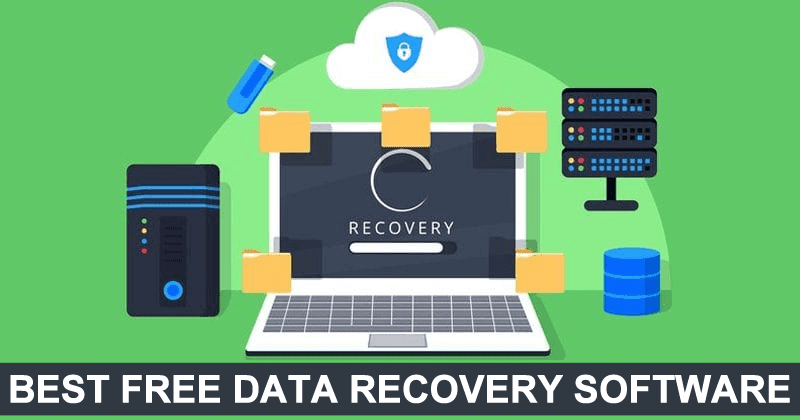
Data recovery services can be costly and often come with uncertainty, especially when you’re trying to retrieve files from a hard drive, flash drive, or memory card. Fortunately, free and paid data recovery software options are available that allow users to attempt recovery on their own, potentially saving both time and money. Here’s a list of some of the best data recovery programs for 2022, including free and paid tools, to help you recover deleted or lost files on Windows, Mac OS X, Android, and Linux devices.
1. Recuva – Best Free Data Recovery Software
Recuva is one of the most popular and widely used data recovery programs. While it may not be the best for every recovery scenario, it stands out due to its ease of use and popularity. The free version allows users to recover deleted files from flash drives, memory cards, and hard drives. The paid version offers technical support but has no major additional features.
Key Features:
- Recovers deleted files like photos, videos, and documents.
- Best for situations where files were deleted recently and the drive hasn’t been heavily used since.
- Can search for specific file types (e.g., photos from a camera).
- Limited functionality when recovering data from drives with a different file system or when the drive shows “not formatted” errors.
Pros:
- Free version available.
- User-friendly interface.
- Simple recovery for deleted files.
Cons:
- Not ideal for complex recoveries (formatted drives, damaged partitions).
2. Disk Drill for Windows
Disk Drill is a powerful data recovery program that was initially available only for Mac OS X but has recently expanded to Windows. The software can effectively recover deleted files, photos, and information from formatted drives. It has a clean and intuitive interface and includes additional features such as drive imaging and the ability to recover files from damaged partitions.
Key Features:
- Recovers deleted files, photos, and information from formatted drives.
- Offers additional features like creating drive images and working with them.
- Available in multiple languages, including Russian.
Pros:
- Easy-to-use interface.
- Free version with a variety of features.
- Works on both Windows and Mac OS X.
Cons:
- Some advanced features are only available in the paid version.
3. Transcend RecoveRx
Transcend’s RecoveRx software is designed specifically for use with Transcend USB flash drives and memory cards but works well with other types of drives too. It is a free and user-friendly program, making it a great option for beginners looking to recover data from flash drives and memory cards.
Key Features:
- Designed for use with Transcend drives, but compatible with other devices.
- Easy to use, even for novice users.
- Free and available in multiple languages.
Pros:
- Free software with simple functionality.
- Great for recovering data from memory cards and flash drives.
- Supports various languages, including Russian.
Cons:
- Primarily designed for Transcend drives, so it might not be as effective with non-Transcend devices.
Other Data Recovery Options
If you need more advanced recovery features or have critical data loss, you may want to consider professional data recovery services. Additionally, several other programs are available, both free and paid, to assist with data recovery. Some tools offer bootable disk images for recovery when systems are unbootable, while others cater specifically to Mac OS or Android devices.
Important Considerations When Using Data Recovery Software
Before attempting to recover data on your own, keep in mind a few essential principles to avoid making the recovery process harder:
- Act Quickly: The sooner you attempt recovery, the more likely you are to retrieve your data.
- Avoid Overwriting Data: Do not use the drive for new data, as this can overwrite the files you’re trying to recover.
- Be Cautious: If the data is critical and recovery is too complex, consider turning to professionals who can handle the recovery safely and effectively.
Conclusion
For most users, free data recovery software like Recuva, Disk Drill, or Transcend RecoveRx can handle the majority of data loss situations. These programs are great starting points for novice users looking to recover lost files. However, for more complex data loss scenarios, such as damaged partitions or overwritten data, professional services may be necessary to ensure successful recovery.
If you are serious about recovering valuable or critical data, always remember to back up your files regularly to avoid the stress of data loss.